
Download Video simili duplicate cleaner – duplicate video cleaner, video duplicate remover, video file organizer, video cleanup tool, video management app
Overview
Video simili duplicate cleaner is a productivity-focused mobile application designed to help users identify and manage duplicate video files across their device storage. The app addresses a common challenge faced by smartphone users: the accumulation of redundant video content from multiple sources such as downloads, backups, and media transfers. By leveraging advanced comparison techniques like perceptual hashing (pHash) and structural similarity (SSIM), the app goes beyond basic file name or size matching to detect visually similar videos, even when they differ in format, resolution, or encoding. This makes it particularly useful for users with large video libraries who seek to reclaim storage space and maintain a clean, organized media collection.
Targeted at both casual users and tech-savvy individuals, the app caters to those who value efficient digital organization. It is ideal for people who frequently transfer videos between devices, record the same event multiple times, or download content from various platforms. The developer, Arnold A. Howe, appears to have focused on usability and performance, offering a tool that balances technical sophistication with user accessibility. Although specific details about the developer’s background are not publicly available, the app’s release date of March 15, 2022, suggests it is a mature tool within the mobile productivity space. Its presence in the Android ecosystem highlights a growing demand for intelligent media management utilities on mobile devices.
Key Features & Functionality
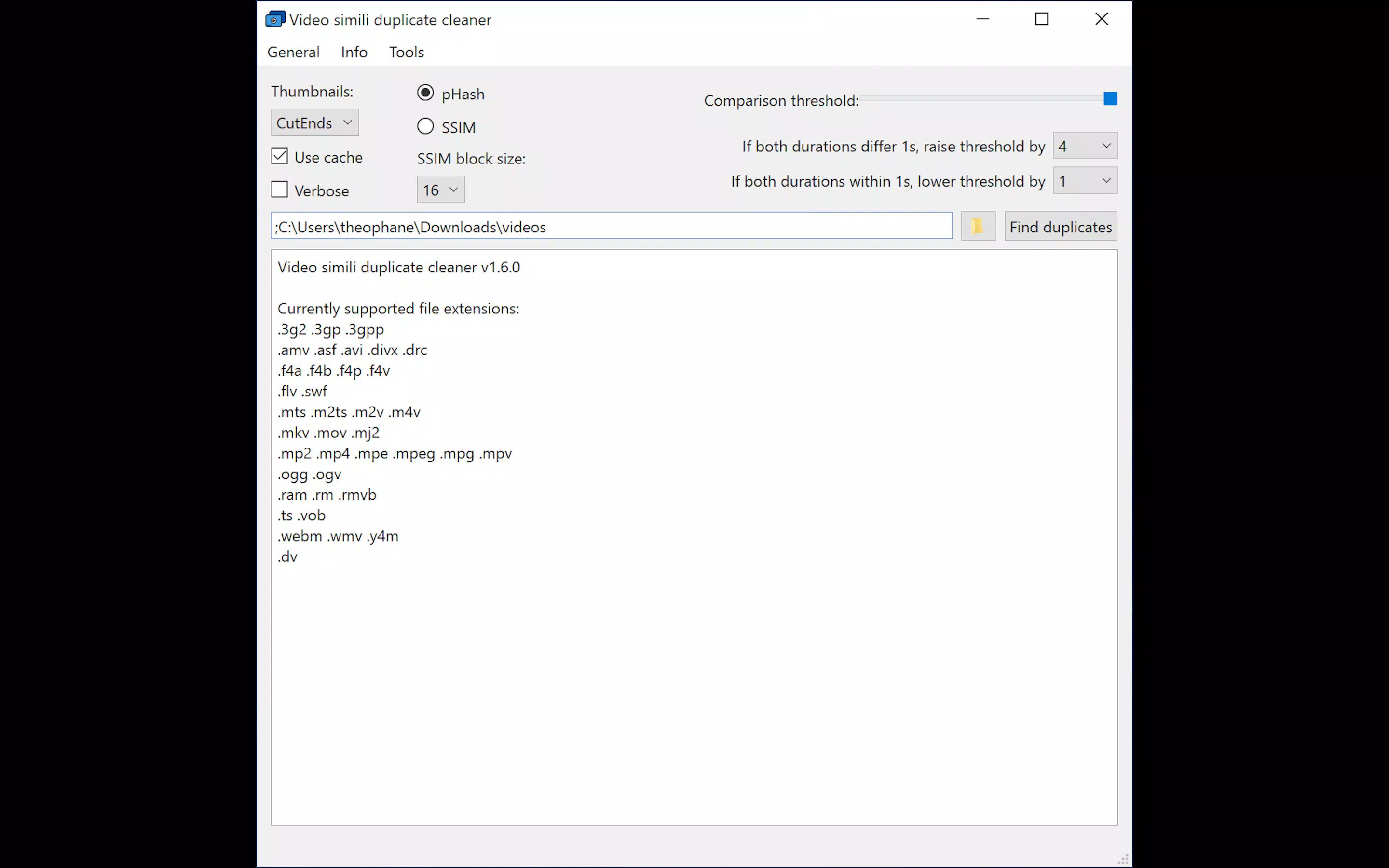
- User-Friendly Interface: The app features a clean, intuitive graphical interface that simplifies the process of adding folders for scanning. Users can either type in directory paths or use drag-and-drop functionality, enabling a seamless setup without technical barriers.
- Advanced Video Analysis: Utilizing pHash and SSIM algorithms, the app performs deep content analysis to detect duplicates based on visual similarity rather than metadata or file names. This ensures high accuracy even when videos are re-encoded or slightly altered.
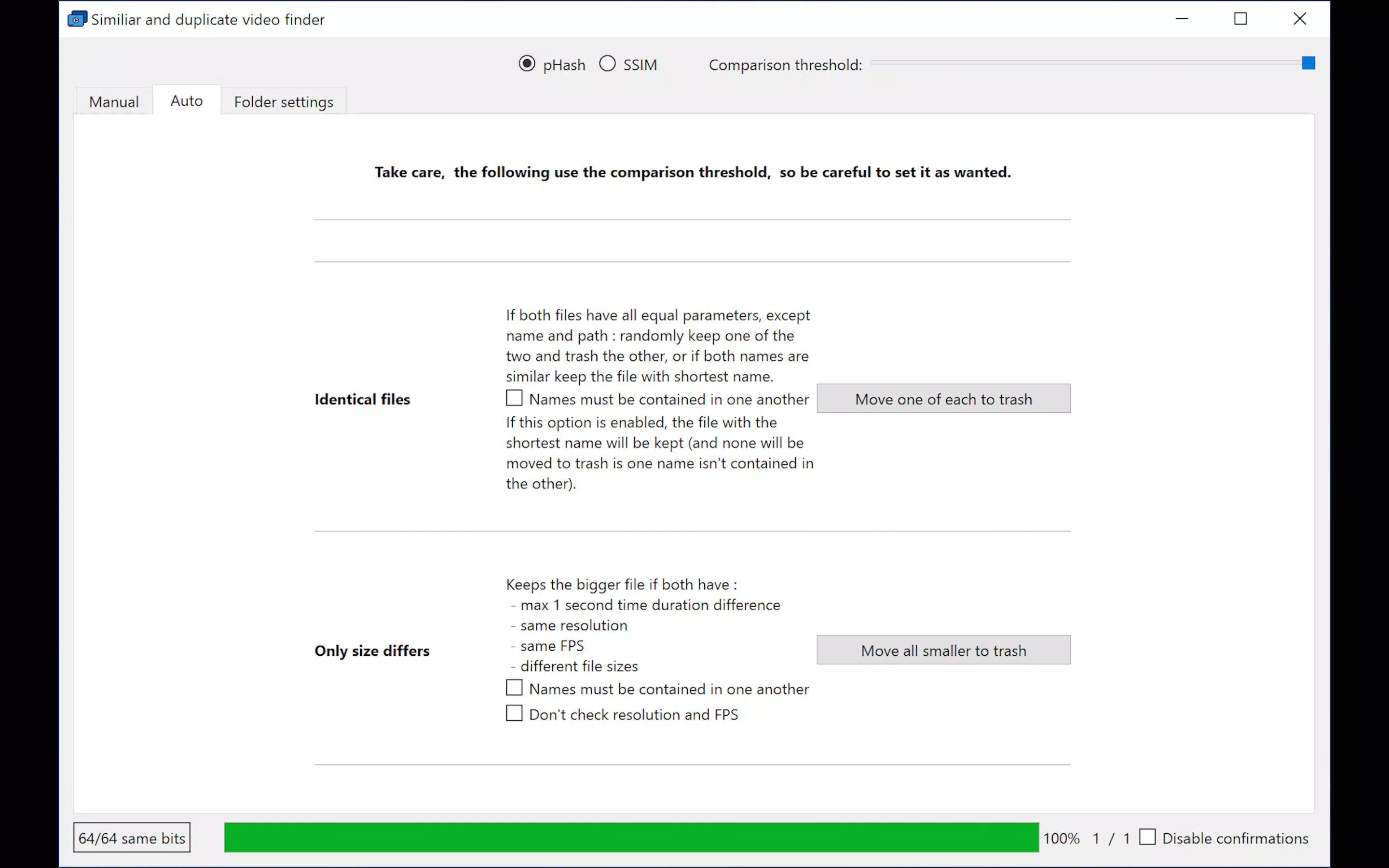
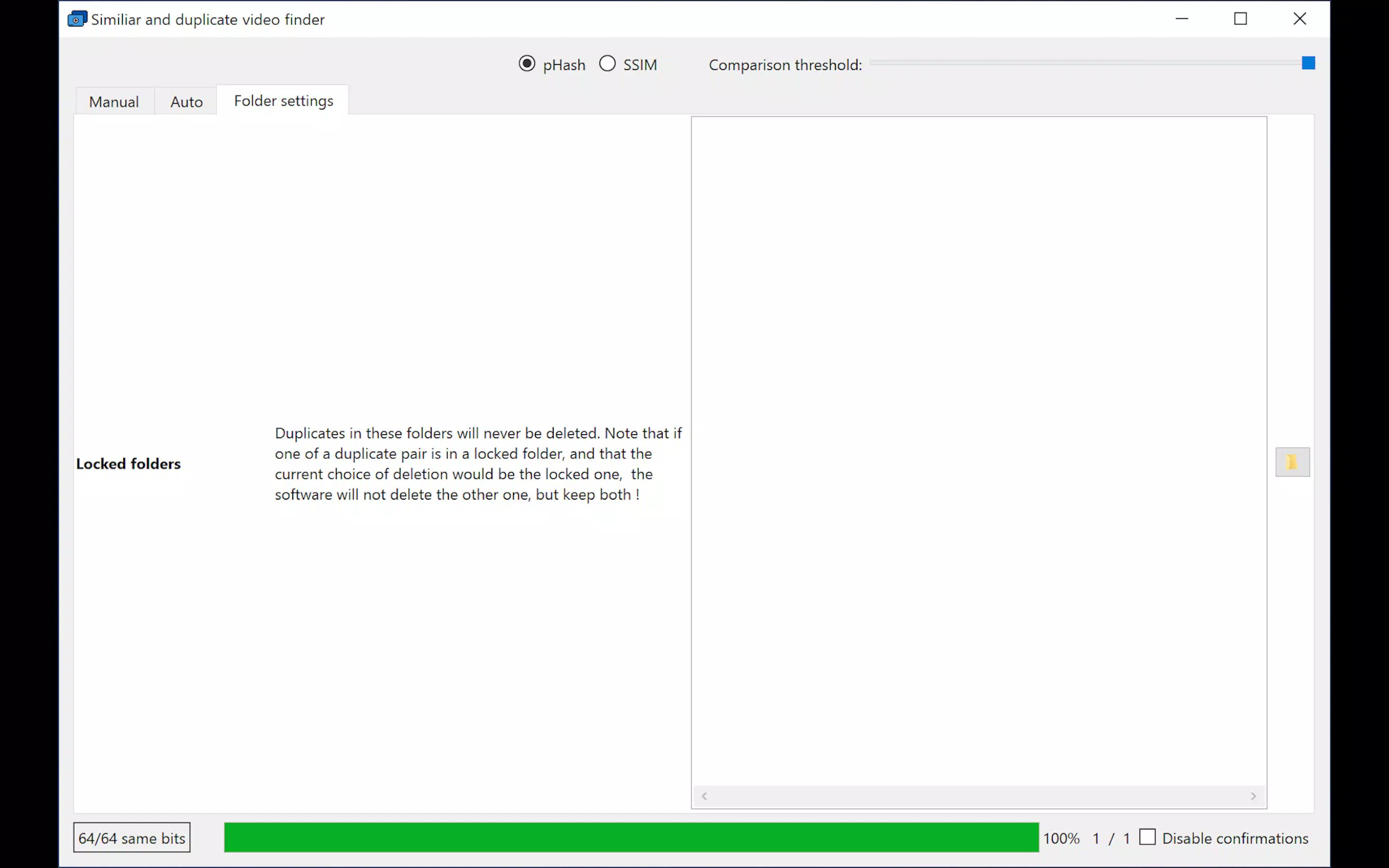
- Efficient Duplicate Management: Users can choose to delete duplicates manually or move them to a designated folder for review. A safe move feature is included to prevent accidental loss of original files during cleanup operations.
- Multithreaded Scanning: By leveraging multiple CPU threads, the app optimizes processing power, significantly reducing scan times and enhancing overall performance, especially on devices with modern hardware.
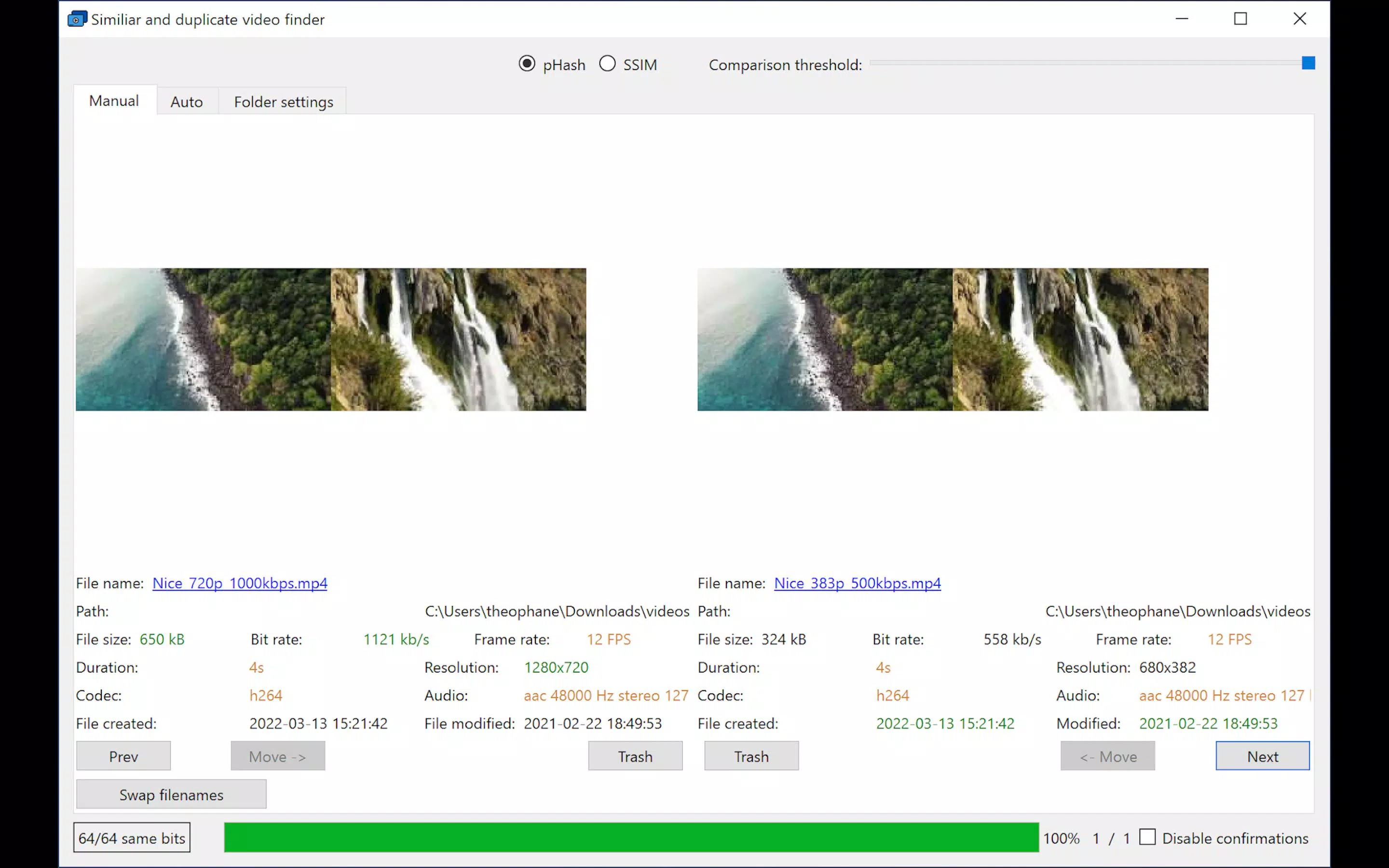
- Visual Comparison Tools: The built-in comparison window allows users to view matched videos side by side with color-coded metadata. Thumbnails can be zoomed in for detailed visual inspection, aiding informed decisions on which files to keep.
For example, a user who has recorded the same family event on multiple devices can use the app to scan all video folders and identify duplicates. After reviewing the side-by-side comparison, they can safely remove redundant files, freeing up valuable storage space. Similarly, someone managing a large media library can use the tool to maintain consistency and eliminate clutter without relying on manual inspection.
Interface, UX & Performance
The interface of Video simili duplicate cleaner is designed with simplicity and clarity in mind. The layout is uncluttered, with logical groupings of controls and real-time feedback during scans. Navigation is straightforward, allowing users to initiate scans, review results, and manage duplicates with minimal steps. The visual design emphasizes functionality over ornamentation, ensuring that key actions remain accessible at all times.
Although the developer did not list formal performance metrics, the app’s multithreaded architecture suggests it is optimized for responsiveness. It is expected to perform efficiently on mid-to-high-end Android devices, where CPU resources are sufficient to support parallel processing. On lower-end devices, scanning may take longer, but the app maintains stability throughout the process. The interface remains responsive during long scans, with progress indicators and status updates to keep users informed.
Users can expect consistent behavior during file operations, with no reported crashes or freezes in the available data. The app’s focus on safe file handling—through features like the safe move option—contributes to a reliable user experience. Overall, the UX prioritizes control, transparency, and ease of use, aligning with best practices in mobile productivity applications.
Platform Compatibility & Technical Requirements
Video simili duplicate cleaner is available exclusively on the Android platform. The current version is 1.0.0, with a file size of 14.7 MB, indicating a lightweight footprint that minimizes storage impact. The app is free to download and use, making it accessible to a broad audience. However, specific minimum OS requirements or device compatibility details were not listed by the developer.
Given its size and functionality, the app is likely compatible with Android devices running recent versions of the operating system. Users of older Android versions may encounter compatibility issues, but this has not been confirmed. The developer did not specify whether the app supports external storage scanning or requires specific permissions beyond basic file access. While the app’s technical specifications are limited in public documentation, its core functionality suggests it is designed for modern Android smartphones and tablets.
Pros and Cons
Pros
- Intuitive interface suitable for users of all experience levels.
- Advanced detection using pHash and SSIM for high accuracy.
- Multithreaded scanning improves performance and reduces wait times.
- Safe file management with move-before-delete functionality.
- Visual comparison tools support informed decision-making.
Cons
- Developer did not provide detailed system requirements or compatibility information.
- No indication of support for iOS or other platforms.
- Specific permission needs were not disclosed.
- Performance on low-end devices may vary without official confirmation.
- Only available on Android, limiting cross-platform access.
FAQ
Is Video simili duplicate cleaner safe to use?
The app includes a safe move feature to prevent accidental deletion of original files. Users are encouraged to review duplicates before confirming any action, ensuring data integrity during cleanup.
Can I use this app on iOS devices?
Currently, the app is only available for Android. There is no public information about an iOS version or future platform expansion.
Does the app require special permissions?
The developer did not disclose specific permissions required. Based on its functionality, it likely needs access to storage and file system data to scan and manage video files.
How often should I update the app?
Regular updates may improve performance, fix bugs, or add new features. Users are advised to check for updates through the official Android app store to ensure they have the latest version.
Can I recover files after deletion?
Once files are permanently deleted, recovery depends on the device’s backup system. The app does not include a built-in recovery function. Users are encouraged to back up important files before performing bulk deletions.
Final Thoughts
Video simili duplicate cleaner stands out as a practical, efficient solution for Android users seeking to organize and optimize their video collections. Its use of advanced algorithms like pHash and SSIM ensures accurate detection of visually similar content, going beyond basic file matching. The combination of a user-friendly interface, multithreaded performance, and safe file handling makes it a reliable tool for managing digital clutter. While it is currently limited to Android and lacks detailed technical disclosures, its core functionality delivers tangible value for anyone dealing with duplicate video files.
Whether you're a casual user with a growing media library or someone managing content across multiple devices, this app offers a streamlined approach to digital cleanup. Its lightweight design and free availability further enhance its appeal. For those looking to reclaim storage space and maintain a tidy video archive, Video simili duplicate cleaner is a smart choice.
Download Video simili duplicate cleaner now


